
Local search diagnostic for UK trades
Why is my trades or building website not showing on Google?
Nearly every case comes down to one of four gates. Find out which one is failing in five minutes, using free tools, and fix that before paying anyone for general SEO.
Why is my trades website not showing on Google?
A trades or building website usually isn’t showing on Google for one of four reasons. Google hasn’t indexed it. The pages don’t clearly match what customers search for. Your Google Business Profile is missing, suspended or too weak to reach the map results. Or you do appear, but nobody gets in touch. Each has a different fix, so diagnose first: searching your company name, running a site: search and opening Search Console’s page indexing report takes about five minutes and tells you which one it is.
Construct Virtual runs this check on UK trades and construction websites as part of its free diagnostic call. If you’d rather do it yourself, everything below is free.
The four gates: where is your website getting stuck?
Most guides list ten or twelve possible causes and leave you to guess. It’s quicker to ask which stage of a customer’s search you’re failing at.
| Gate | The question | How you see it | Usual culprits |
|---|---|---|---|
| 1. Found | Has Google stored your pages? | Search Console page indexing report, a site: search | A noindex setting left on after launch, robots.txt blocking the site, no redirects after a redesign, a brand-new site |
| 2. Relevant | Does one page clearly match a search like “boiler installation Leeds”? | Search Console performance report, filtered by query | A one-page site, vague page titles, services shown only as images, copy-and-paste town pages |
| 3. Near and trusted | Are you among the businesses Google shows on the map? | Google Maps, searched from a customer’s postcode | An unverified or suspended profile, the wrong categories, being too far away, thin or old reviews |
| 4. Chosen | When you do show, do people call or enquire? | Business Profile insights, call logs, form submissions | Fewer reviews than rivals, stock photos, calls going unanswered, a clumsy mobile site |
Gates 1 and 2 decide whether your website can rank at all. Gate 3 decides whether you appear on the map, which is prominent for urgent local searches such as “emergency plumber”. Gate 4 is where enquiries get lost, and it’s the one most SEO advice skips.
The five-minute check
You need a phone or laptop and access to your Google account. Don’t skip step four: it’s the one that catches most people out.
Search your business name in quotes, plus your town
If your own name doesn’t bring up your website or your Google Business Profile, you have a Gate 1 or Gate 3 problem. If it does, move on.
Search site:yourwebsite.co.uk
Type site: followed by your domain with no space. No results usually means Google hasn’t indexed the site. A handful when you have thirty pages suggests partial indexing. The count is approximate, so treat it as a prompt and confirm in step three.
Open Google Search Console and go to the page indexing report
It lists which pages are indexed and, for the rest, why not. Verifying your site is free: ask whoever built it, or use your domain provider’s DNS settings. The reasons to look for are in the Gate 1 table below.
Search the way a customer would, from where a customer would
Search “electrician Harrogate” in Google Maps with the map centred on a customer’s street, or ask a friend in that area to search. Searching from your own office or van flatters you: Google gives weight to distance, and you’re always closest to yourself.
Check the performance report in Search Console
Filter queries containing your town. Plenty of impressions and few clicks points to Gate 4, or a position too low to be noticed. No impressions at all points to Gates 1 to 3. Impressions on the wrong searches point to Gate 2.
Don’t judge by your own screen
Google tailors results to location and search history. Your own search is the least reliable test you can run, which is why steps three and four use data and someone else’s postcode.
Is Google storing your pages at all?
If a page isn’t indexed, it can’t appear. For a brand-new site, Google says crawling can take anywhere from a few days to a few weeks, so allow a little time. If the site is months old, something else is going on.
| What Search Console says | What it usually means on a trades site | The fix |
|---|---|---|
| Excluded by ‘noindex’ tag | A redesign or staging setting was left on, or an SEO plugin is set to hide a page type | Remove the noindex, then request indexing |
| Blocked by robots.txt | A staging file with Disallow: / was copied to the live site | Correct robots.txt and retest the page |
| Discovered, currently not indexed | Google knows the address but hasn’t crawled it. Common on small sites with few links to the page | Link to it from the homepage and service pages, submit your sitemap, wait |
| Crawled, currently not indexed | Google looked and chose not to keep it. Often thin or near-identical pages, such as thirty towns with the same text | Merge or rewrite so each page says something only it can say |
| Duplicate, Google chose different canonical | www and non-www, or http and https, or similar pages competing with each other | Pick one version, then set canonicals and redirects to match |
| Not found (404) or Page with redirect | Old website addresses with no 301 redirects after a redesign | Redirect each old address to the closest new page |
On WordPress, check Settings, then Reading, for the box called “Discourage search engines from indexing this site”. It’s meant for development and is easy to leave ticked after launch. Website builders have an equivalent setting, often called search engine visibility or hide from search results.
Skip anyone selling “submission to 500 search engines”
Google finds your site through links and your sitemap, and Search Console lets you request indexing of individual pages. Paying for submissions does nothing that those don’t.
Does a page clearly match the search?
Indexed means stored, not chosen. Google picks the page that best matches the search, and a one-page site that says “we cover all areas” has a harder job matching “boiler installation Leeds” than a page written for it.
Page titles: before and after
| Page | Weak title | Stronger title |
|---|---|---|
| Homepage | Home | Heating Engineers Leeds | Boilers and Servicing | Smith & Sons |
| Service page | Our Services | Boiler Installation Leeds | Gas Safe Engineers | Smith & Sons |
| Area page | Areas We Cover | Plumber Harrogate | Repairs and Call-outs | Smith & Sons |
Smith & Sons is an invented example firm. Keep titles under about 60 characters so they aren’t cut off.
What a good service or area page has that a template can’t fake
- The service and the place in the headline and the first paragraph
- Real jobs with real photos, and the district they were in (with the customer’s permission)
- What you do and don’t cover there, such as “LS1 to LS17, not Bradford”
- Accreditation numbers linked to the register: Gas Safe, NICEIC, NAPIT, TrustMark, FENSA or CHAS, as relevant
- A price range or a “from” figure, and how to book
- Local detail only someone who works there knows, such as conservation areas, listed building consent or party wall notices on a Victorian terrace

Thirty town pages with one place name swapped is a risk, not a strategy
Google’s spam policies treat pages made to rank for similar searches that all lead to the same place as doorway abuse. Even without a penalty, Search Console often files them as “Crawled, currently not indexed”. Write fewer, better pages for the places you genuinely work.
Why you’re missing from the map results
For local searches, Google says its results are based mainly on relevance, distance and prominence. Your website is one input among several, which is why a rival with a weaker site can still outrank you.
| Problem | How to spot it | The fix |
|---|---|---|
| Profile unclaimed or unverified | Your listing shows “Own this business?” or you can’t edit it | Claim and verify it. Our guide to verifying your profile covers the steps |
| Suspended | A notice in your profile dashboard, and the listing isn’t visible | Read the stated reason, correct the cause (often name, address or category), then appeal with evidence |
| Vague primary category | The main category is something broad like “Contractor” | Choose the most specific category that fits, such as Plumber, Electrician or Roofing contractor |
| Keywords in the business name | The name reads “Smith Plumbing Leeds Emergency Plumber” | Use your real trading name. Google’s guidelines say the name should reflect your real-world name, and stuffing risks suspension |
| Address problems | Home address on show, or a shared or virtual office address | Service-area businesses can hide their address. Virtual offices and PO boxes aren’t eligible |
| Too far from the searcher | You show near your base but not ten or more miles away | See the note below |
| Thin or old reviews | Rivals have more reviews, and more recent ones | Build a steady review habit. See how to get more Google reviews |
| Duplicate or inherited listing | A second profile from a previous owner, address or phone number | Claim it and request a merge or removal, so reviews and signals aren’t split |
| Inconsistent details elsewhere | Name, address or phone differ across Checkatrade, Yell, Facebook and similar sites | Make every listing match your profile exactly |
You can’t out-optimise geography
A verified address in one town gives you a strong position nearby and a weaker one further away. To extend your reach you need more prominence (reviews, mentions, links) and proper service pages for the areas you work, not town names stuffed into your profile. Our Google Business Profile guide covers the rest of the set-up.
You show up, but the phone doesn’t ring
Ranking is a means to an enquiry. If Search Console shows impressions and your Business Profile shows views but little contact, put your listing next to the three above it and compare line by line.
- Reviews: how many, how recent, and whether you reply, including to the bad ones
- Photos: real jobs and real vans, not stock images
- Opening hours: a listing that says 24 hours and goes to voicemail loses the job
- Mobile website: a tap-to-call button above the fold, and a short quote form
- Trust signals: accreditations, insurance and guarantees visible without scrolling
- Price signals: a “from” price or typical range, so the right customers call
A missed call is a lost job, whatever you ranked
If you’re on site all day, answering the phone matters as much as a first-page listing. Our AI receptionist for trades and AI lead handling system are built for this, and why good leads go cold after the first call explains what happens next.
Find your symptom
| What you’re seeing | Likely gate | First check | Who usually fixes it |
|---|---|---|---|
| Searching my company name shows nothing | 1 or 3 | site: search, then the page indexing report | Your web developer |
| My name works but “plumber Leeds” doesn’t | 2 or 3 | Page titles, then Maps from a customer’s postcode | You, then a specialist |
| I’m on the map but not in the normal results | 2 | Do you have a page for that service and area? | You or a specialist |
| I was showing, then dropped | 1 or 3 | Search Console messages, profile status, recent website changes | Your web developer |
| I show up but nobody calls | 4 | Compare your listing with the top three | You |
| Rivals with worse websites outrank me | 3 | Reviews, categories and distance | You, then a specialist |
| I disappeared after a new website | 1 | The redesign checklist below | Your web developer |
| My profile says suspended | 3 | The stated reason in your dashboard | You, with evidence |
Disappeared after a new website? Check these six things
A dip after a redesign is normal. One that lasts usually means something was lost or blocked, and that’s fixable.
- Noindex or “discourage search engines” still switched on from the build
- robots.txt copied from the staging site with the whole site disallowed
- Old addresses not redirected with 301s to the matching new pages
- Service and area pages removed because the new design looked “cleaner” with fewer pages
- Titles and headings rewritten to something generic, so pages stopped matching searches
- Canonical tags or the Business Profile website link still pointing at an old or staging address
Ask your web firm for the redirect list and a copy of the old sitemap. If they can’t produce either, that tells you a lot.
A four-week order of work for a trades business
This is the order we’d tackle things, not a promise of rankings. Fix a gate before you spend on the next one.
Week one: make sure Google can find you
Verify Search Console, submit your sitemap, clear any noindex or robots.txt block and set up redirects for old addresses.
Week two: tidy the Business Profile
Verify it, pick specific categories, use your real name, add real photos, correct your hours and make every other listing match.
Week three: match the searches
Rewrite the homepage and page titles. Give each core service its own page, and each area you genuinely cover a page with real local detail.
Week four: win the enquiry
Fix the mobile call button, answer or return every call the same day, ask every customer for a review, and start counting calls and form enquiries.
Indexing fixes can show within days to weeks. Rankings usually take longer, and nobody can honestly promise a date.
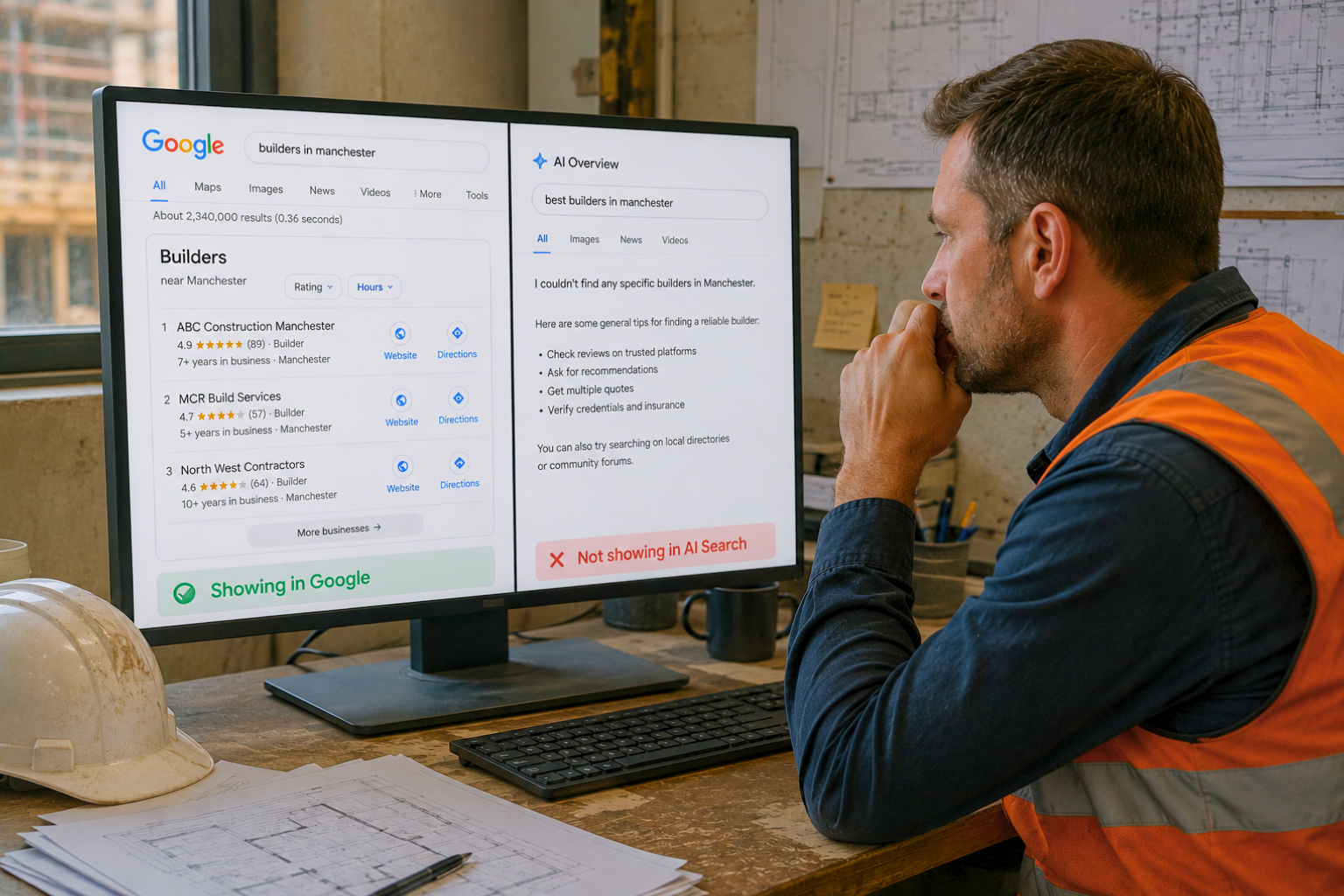
Not showing in ChatGPT or Google’s AI answers either?
The same foundations apply. If Google can’t find or understand your pages, AI answers have little to draw on, and a clear picture of who you are, what you do and where is what they need. Our guides on how builders can rank in AI search, entity SEO for trades and structuring a trades website for AI search go further, and the free AI search visibility check shows whether the assistants recommend you today.
If you want help with the search side across your trade, start with SEO for construction companies or your own trade: plumbers, electricians, roofers, HVAC contractors and builders.
About this guide
Written by Andrew Davey of Construct Virtual from Google’s published guidance and the checks we run on UK trades and construction websites. It’s a method, not a guarantee: every site is different, and Google changes its tools, so check current menus before you act.
Trades website not showing on Google: common questions
Why is my trades website not showing on Google?
Usually one of four things: Google hasn’t indexed it, the pages don’t match what customers search for, your Google Business Profile is missing or too weak to reach the map results, or you appear but people don’t enquire. A site: search and Search Console’s page indexing report show which one applies.
How long does it take for a new trades website to show on Google?
Google says crawling can take anywhere from a few days to a few weeks. Appearing at all is different from ranking well: expect months to compete for busy searches such as “plumber Leeds”.
Why does my site show when I search my company name but not “plumber near me”?
Your name is unique, so it’s an easy search to win. “Near me” searches depend on relevance, distance and prominence, so a weak profile, a long way from the searcher, or fewer reviews than rivals can keep you out even though your name works.
Why do competitors with worse websites outrank me?
For local searches Google weighs distance and prominence, such as reviews and mentions, alongside relevance. Website quality is only one input, so a closer rival with more recent reviews can beat a better site.
Do I need a website if I have a Google Business Profile?
A profile can bring calls, but a website gives Google more to match to searches and gives customers proof of your work. Most trades benefit from both.
Can I pay to show up on Google straight away?
Yes, with Google Ads or Local Services Ads. The leads stop when the payments do, and ads won’t fix an indexing problem. Our SEO cost guide for trades compares the routes.
Is it worth paying someone to fix this?
Gate 1 problems are often quick for a developer. Gates 2 and 3 take ongoing work. Run the five-minute check first, so whoever you pay is fixing a named problem.
Keep reading
Best SEO companies for trades and construction
Seven routes compared, with a ten-point scorecard.
What does an AI receptionist cost for trades?
UK prices, what’s included and a break-even sum.
How to get more Google reviews as a trades business
Copy-and-use scripts and the rules to follow.
Not sure which gate you’re stuck at?
In thirty minutes we run this check on your website and Business Profile and tell you, in plain English, which gate is failing and what to fix first. If it’s something you can sort yourself, we’ll say so.
- Which of the four gates is failing
- What to fix first, and who should fix it
- A straight answer on whether paid help is worth it